

Billing and payments
Understanding your billing and payment options is crucial to managing your account with us. Everything you need to know is lited below.
If you need specific help, please email support@colorprompt.ai for billing and refund questions.
How to view your bill
You can view your bill at any time from your email receipt. Simply log in to your email account and search for the email received at the time of purchase.
Payment methods
We accept a variety of payment methods for your convenience. You can pay your bill using Link, Visa, Mastercard, JCB, Discover and Diners Club. We do not accept American Express (AMEX) at this time.
Check our checkout page, after choosing your plan, to see more details.
Updating your billing information
For now, there's no direct way to update your billing information - but you can cancel your plan at anytime and subscribe again with your new billing information.
Canceling your plan
To cancel your plan:
Click 'Preferences' in the left tab
Scroll to the Billing section
Click 'Cancel Subscription'
Done!

Upgrading or Downgrading your plan
The process is the same for either upgrading or downgrading plans.
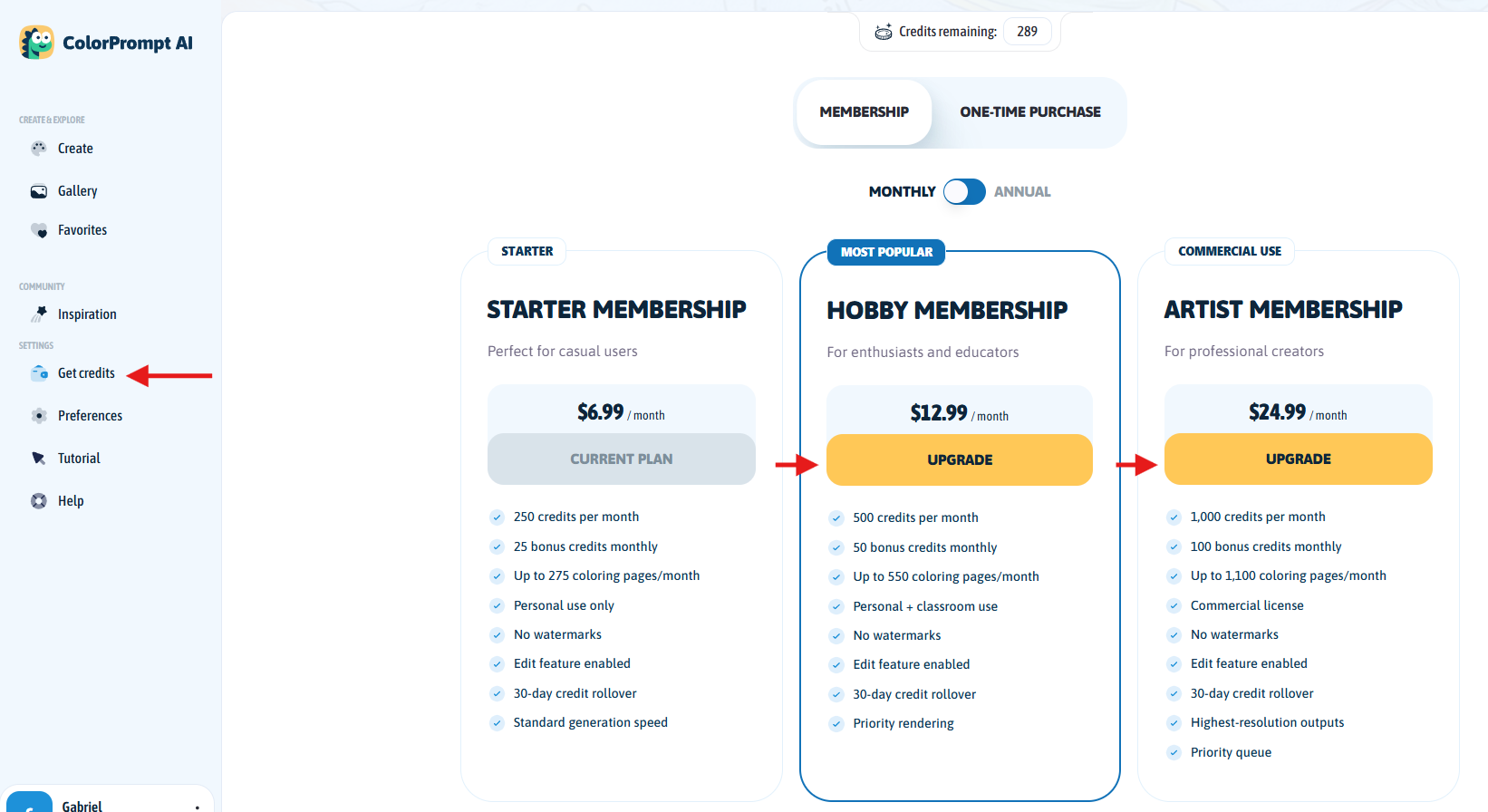
To upgrade or downgrade plans, follow these steps:
Click 'Get credits' in the left tab
Choose your preferred plan and click the corresponding button
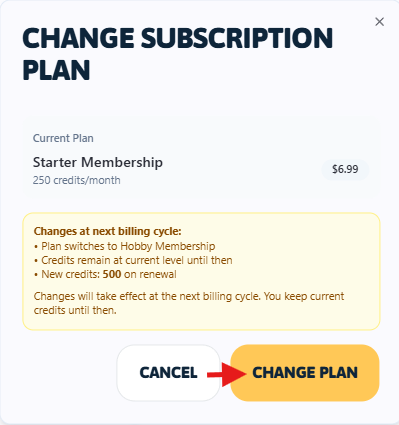
Confirm the pop-up box by clicking 'Change Plan'
Done!
Need help?
If you have any questions or concerns about billing and payments, don't hesitate to reach out to our support team.
We're here to help, please email support@colorprompt.ai with your questions.
Common reasons for declined payments
If your purchase isn't going through, please check the following:
Unsupported Card Type: We currently accept Visa, Mastercard, JCB, Discover and Diners Club. We do not accept American Express (AMEX) at this time.
Bank Declines: Since our payment processor (Stripe) is international, some local banks may flag the transaction as "unusual activity." You may need to call your bank to authorize the purchase.
Insufficient Funds: Ensure your card has enough limit for the selected currency (USD or BRL).
"Link with Stripe" Issues If you are using "Link" to autofill your payment info, try clicking "Pay with another method" if the verification code isn't arriving.
Still stuck? If you continue to see errors, please take a screenshot of the error message and contact our support via email here: support@colorprompt.ai