How to Prompt for Perfect Spelling (Even for Long Words!)
To get those long, tricky words spelled perfectly onto the page, here's a quick guide.
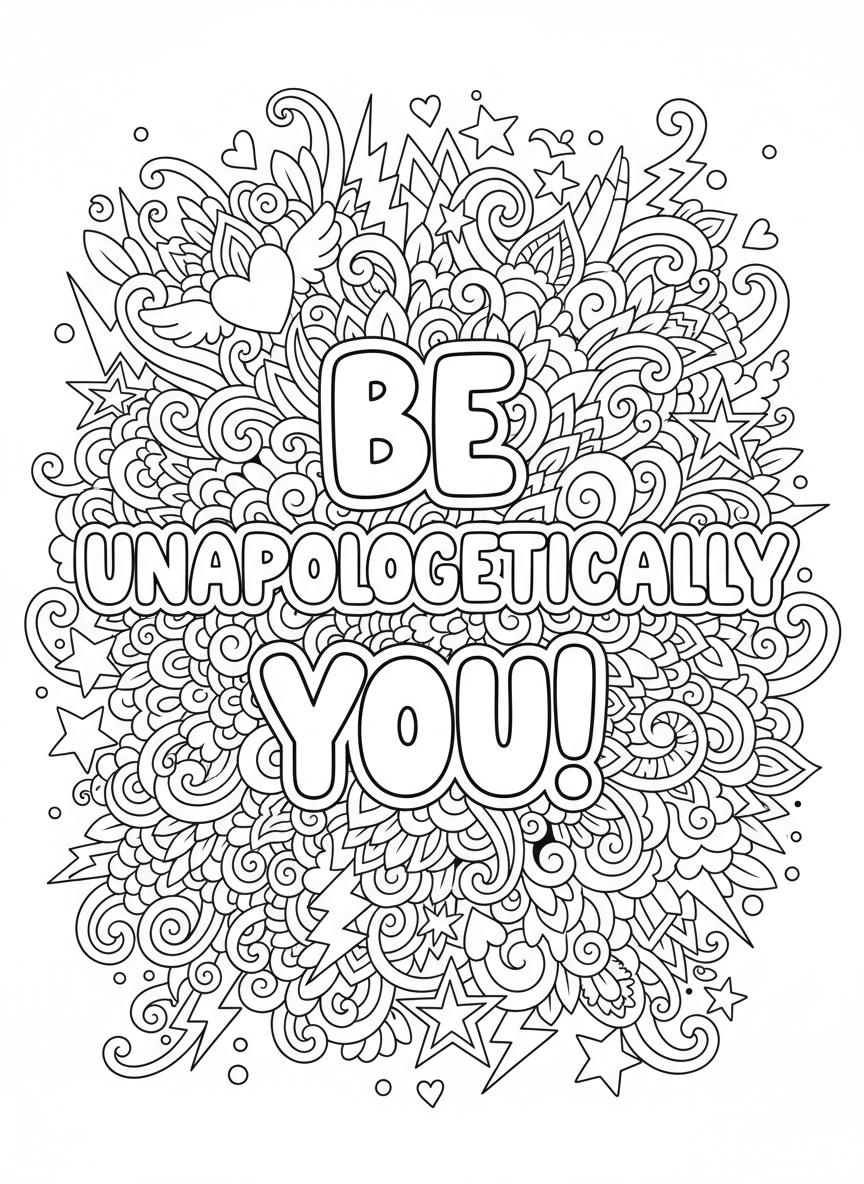
Consider we want to write the exact quote: 'Be Unapologetically You!'"
These are the best practices to achieve it:
Use the right model for the job:
We suggest using the style "WordArt" and the "Premium" Processing mode. This gives the best rsults for arts with words in it.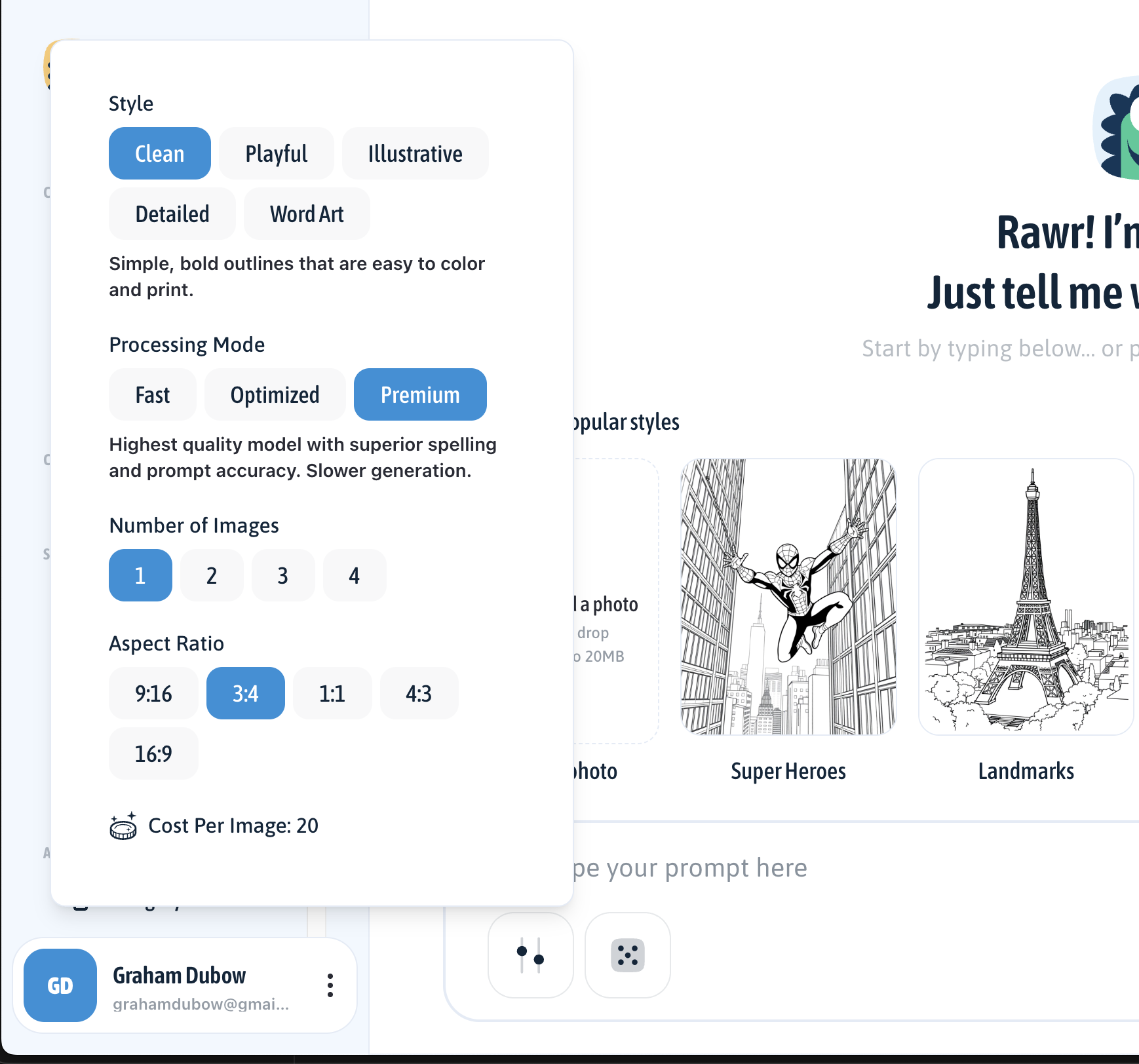
Use Exact Quotes:
Tell the AI exactly what you want written by keeping your phrase inside quotation marks.
- For example: "Featuring the exact quote: 'Be Unapologetically You!'"Spell It Out:
Break long words down letter-by-letter with dashes and call out tricky parts (like double letters) so the AI can't miss it.
- Building on our example: "The word Unapologetically must be spelled exactly U-N-A-P-O-L-O-G-E-T-I-C-A-L-L-Y (two O's)."Lock It In:
Give the AI strict rules to prevent creative typos and ask for clear, large fonts.
The final prompt is:
"Intricate tween coloring page featuring the exact quote: 'Be Unapologetically You!' The word Unapologetically must be spelled exactly U-N-A-P-O-L-O-G-E-T-I-C-A-L-L-Y (two O’s) in large bold bubble letters. Do not alter spelling." 👇
Before you create your art, don’t forget to choose the Model and aspect ratio by clicking the settings icon under the text bar. This makes it super easy to print perfectly in any kind of paper.
Pro tip: US Letter portrait paper uses the 3:4 aspect ratio. 😉
Your creations are now ready for adventure!